By Dylan. Originally published by RN MARK on .
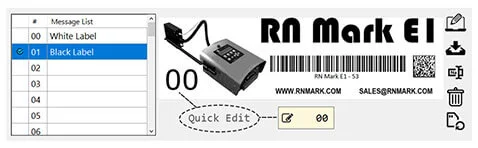
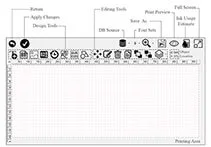
RN Soft helps create print layouts with text, dates, lot identifiers, barcodes and graphics on compatible RNJet industrial printers. The layout and transfer workflow depends on the controller and software revision.
Choose the workflow supported by your controller
The RNJet Plus software reference manual covers controller layouts and the RN Soft Windows application. The Windows application includes an offline layout editor. Confirm the model and controller revision before using a saved layout on another printer or selecting a connection.
Check variable fields before printing
Build a test message with the date format, lot field and barcode you plan to run. Confirm the values on the first print at line speed and after a message change. See the batch-coder setup guide for a production changeover check.
Find your model in the RNJet installation and software manuals. For help, send RNJet USA the model, controller version and a sample of the expected code.